
Trusted by over 10,000 users in 120+ countries
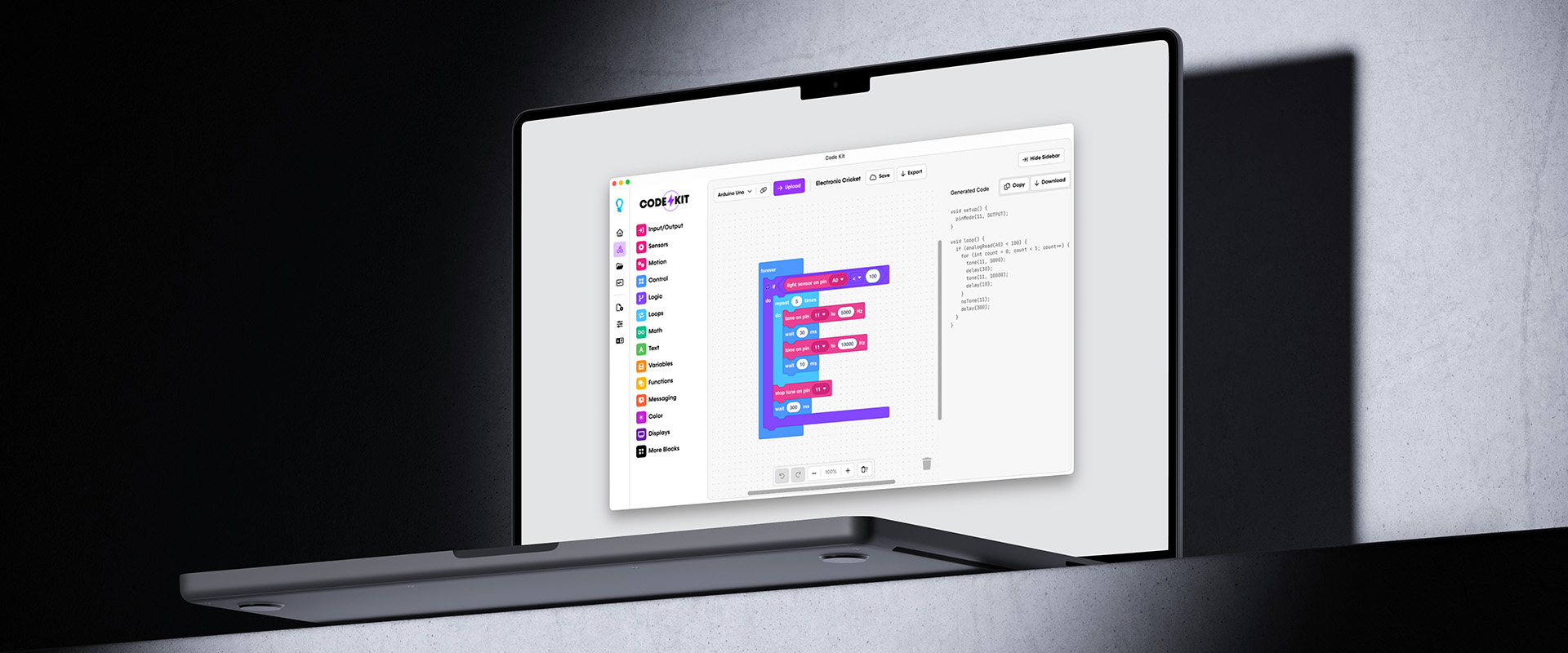
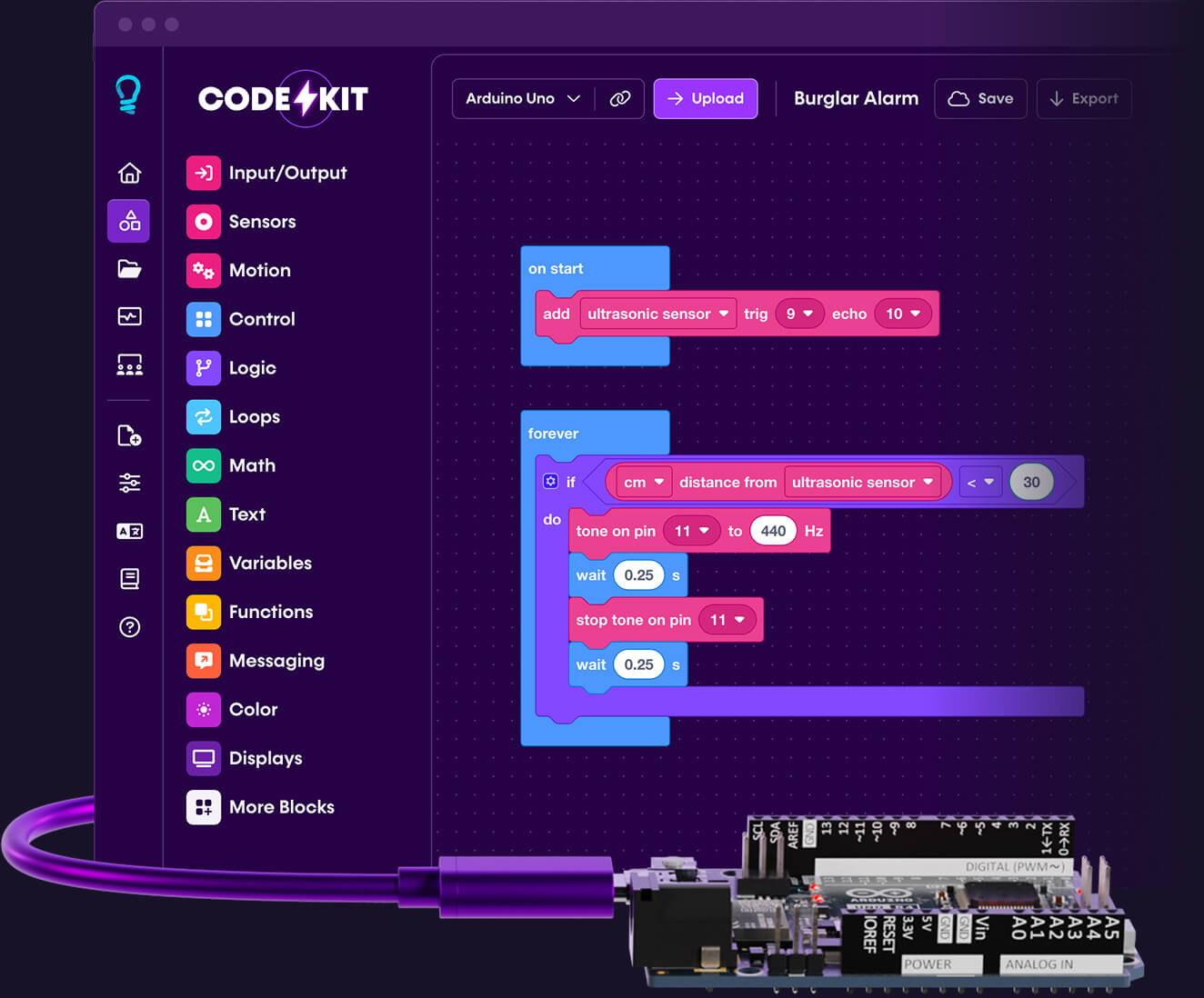
Build amazing Arduino projects without writing a single line of code
A visual editor you can learn in minutes. Drag, drop, and create with 150+ ready‑made blocks for sensors, motors, LEDs, and more.
No credit card. No download. No account required.
From idea to working project in minutes
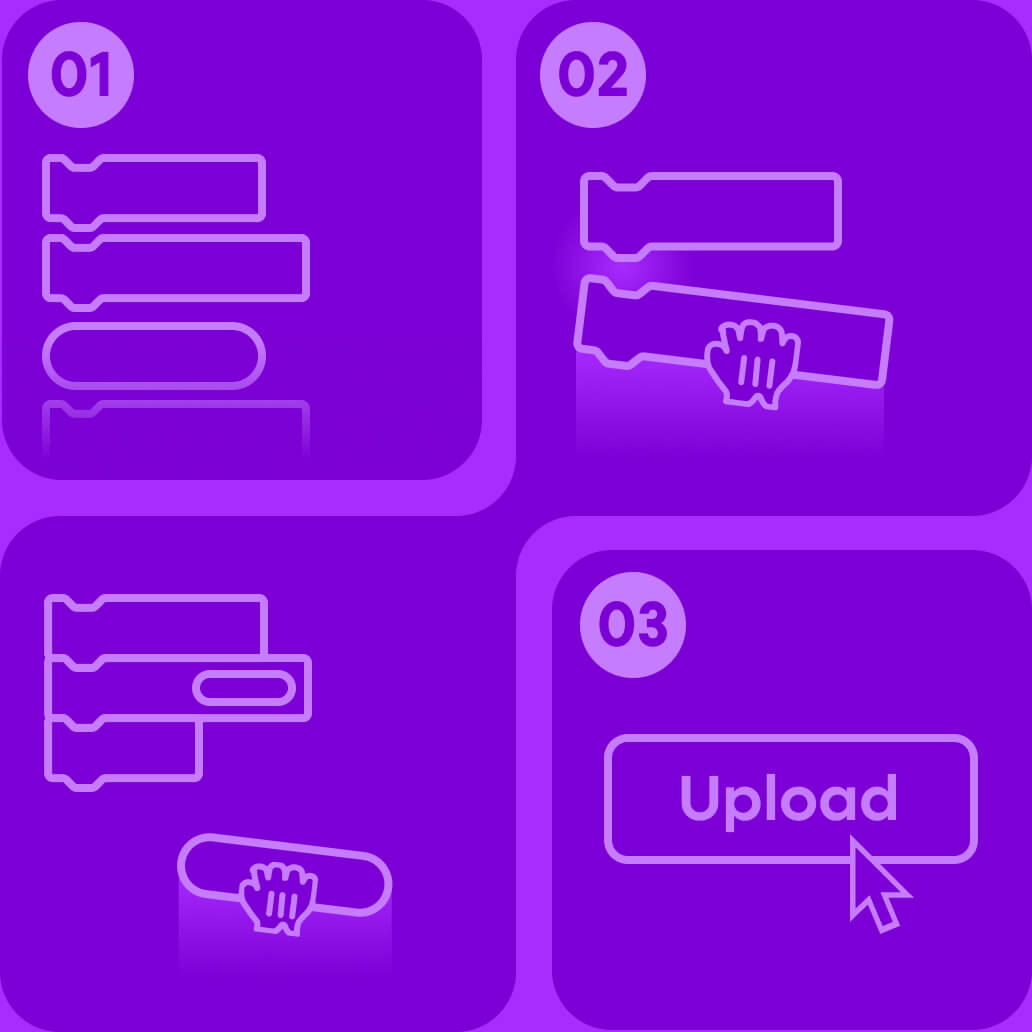
Whether you’re just starting out or you’ve been building for years, Code Kit helps you move from idea to working prototype faster than ever.
01
Choose from 150+ blocks
02
Drag and drop to build your project
03
Upload instantly with one click
(Pro Feature)
Everything works together in Code Kit
A single interface to connect all your parts and make them behave exactly how you want.
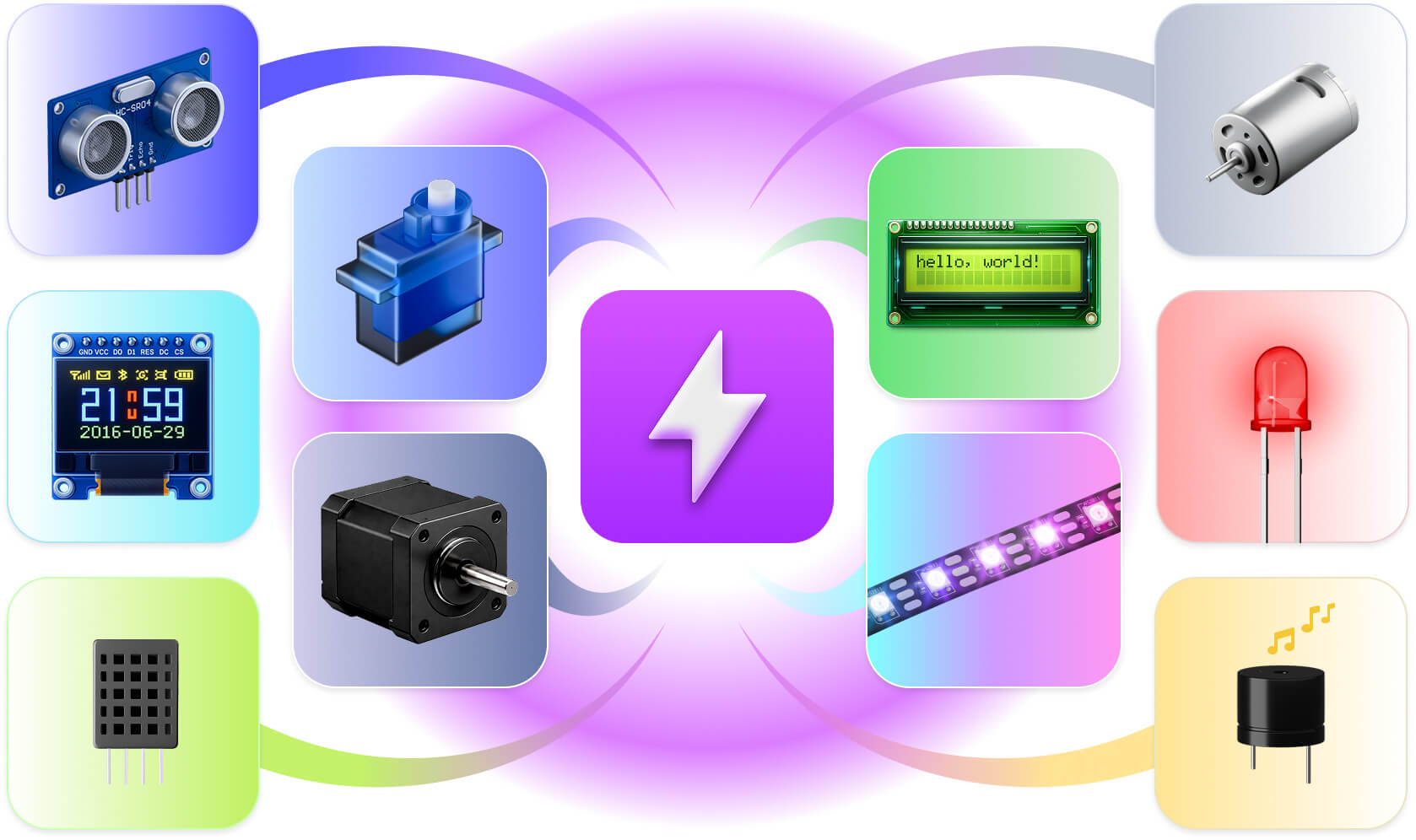
Control it all: Sensors • Motors • Displays • LEDs • Servos • Buzzers • And much more
Everything you need to start building is free
Start building Arduino projects in your browser for free. No account or setup required.
Real-time visual editing
Build programs visually. Code Kit converts your blocks into clean Arduino C++ in real time, ready to inspect, copy, or edit.
150+ ready-made blocks
Skip the confusing libraries and boilerplate. Code Kit’s block library makes it easy to combine components and make them work together.
Works with your favourite boards
Use Code Kit with popular Arduino and Espressif boards, including Arduino Uno, Nano, Mega, and ESP32.
One-click copy and download
Copy generated code to your clipboard in a click, or download a zipped project to open directly in the Arduino IDE.
Supercharge your Arduino workflow with Code Kit Pro
Advanced features when you’re ready for more
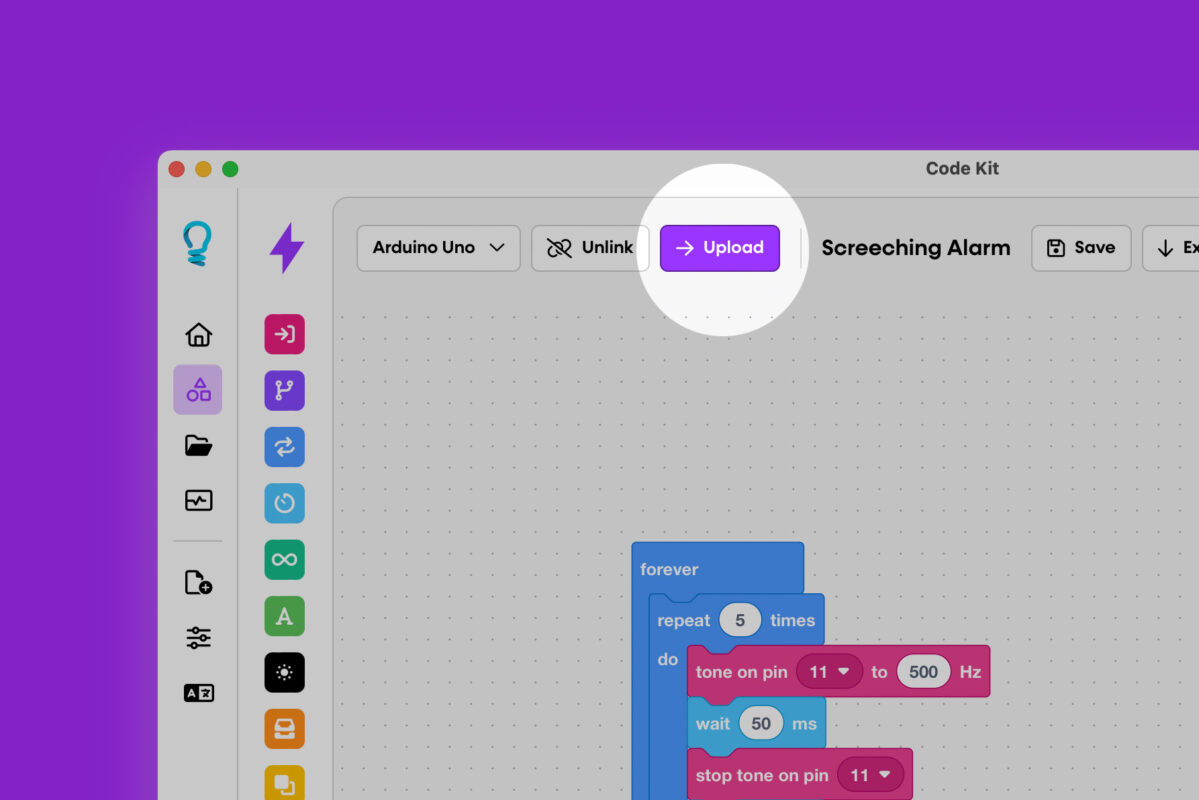
Direct code upload
Upload projects straight to connected boards from the web or desktop app—no Arduino IDE required.
Text-to blocks with BlockMorph
Paste in Arduino C++ and let BlockMorph convert it into editable blocks. Perfect for learning from existing code or modernising old projects.
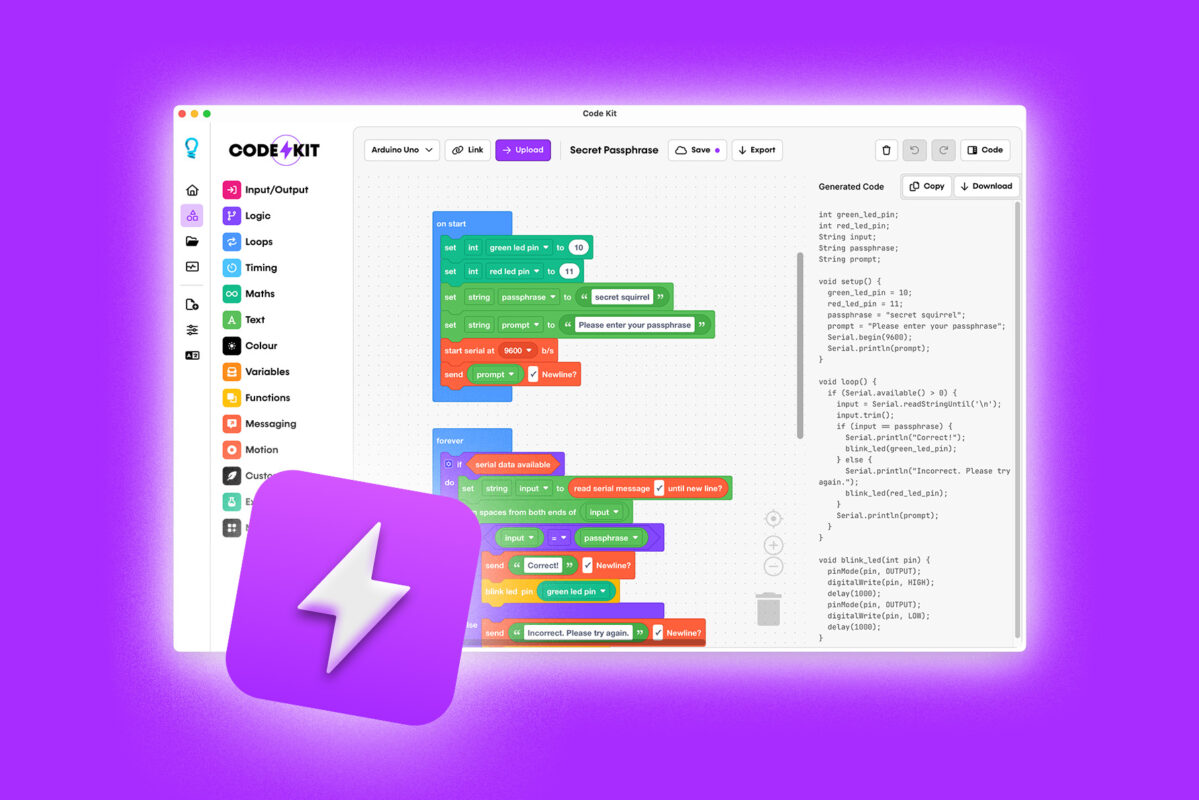
Desktop app – Works offline
Our desktop app for Mac and Windows lets you work offline, so you can take your coding with you wherever you go.
Cloud project storage
Save your work securely in the cloud, access it from any device, and share projects with a public link so others can view or remix them.
Built-in serial monitor
See exactly what your board is doing. Send commands, receive data, and plot sensor values in real time—right inside Code Kit.
Priority support
Get fast, expert help from people who understand Arduino and education. When you’re stuck, we help you move forward.
Ready to experience the ultimate visual editor for Arduino?
Code Kit for Classrooms
Arduino made simple for teachers and students
Code Kit Classroom includes Pro access for students and teachers, plus educator tools for managing classes, reviewing student projects, and keeping lessons organised.
Designed for schools, libraries, makerspaces, and workshops.

Start small, build big
Whether you’re a curious beginner, a serious creator, or an educator guiding tomorrow’s inventors, we’ve got you covered. Simple, flexible pricing to fit your needs.
Basic
Get started instantly in your browser. No account required.
Free
- Browser-based editor
- No credit card required
- 150+ coding blocks
- Real-time Arduino C++ generation
Pro
Unlock advanced features like code upload, cloud projects, and sharing.
$4.95
AUD /mo
Billed annually at $59.00/year
Everything in Free, plus…
Direct code upload
Text-to-blocks with BlockMorph
Build interactive circuits
Desktop app (Mac/Windows)
Built-in serial monitor
Works offline
Early access to new features
Priority support
Classroom
Education package perfect for schools, makerspaces, or libraries.
$29.50
AUD /mo
Billed annually at $354.00/year
- 30 licences to Code Kit Pro
- 80% discount on licences
- Teacher dashboard
- Student project visibility
- Collaborative tools
Basic
Get started instantly in your browser. No account required.
Free
- Browser-based editor
- No credit card required
- 150+ coding blocks
- Real-time Arduino C++ generation
Pro
Unlock advanced features like code upload, cloud projects, and sharing.
$9.95
AUD /mo
Everything in Free, plus…
Direct code upload
Text-to-blocks with BlockMorph
Build interactive circuits
Desktop app (Mac/Windows)
Built-in serial monitor
Works offline
Early access to new features
Priority support
Classroom
Education package perfect for schools, makerspaces, or libraries.
$59.00
AUD /mo
- 30 licences to Code Kit Pro
- 80% discount on licences
- Teacher dashboard
- Student project visibility
- Collaborative tools
“Eight Years with Arduino—Code Kit Pro Finally Got It Right”
“We’ve worked with Arduino Uno for the past eight years and have had difficulty finding a platform with the functionality needed.
We’ve been using Code Kit Pro for over two months now and have been extremely impressed, not only with the product but also the support we have received… So far, we have not come across anything we could not code within Code Kit Pro, and the upload to the Arduino feature has worked flawlessly.”
Robert M, Middle School Robotics Instructor
Join makers in over 120 countries
Join a global community of makers using Code Kit to create new inventions, learn new skills, and share what they’ve built with the world. Code Kit was built for people like you, and we’re excited to see what you’ll create with it.

FAQs
Discover answers to some of the most-asked questions about Code Kit.
Can’t find what you’re looking for? Contact our friendly team.
Is Code Kit really free?
Yes. The web editor is free forever. Build unlimited projects, generate Arduino code, and learn at your own pace. Pro features like direct upload, cloud storage, and the desktop app are optional upgrades.
Do I need to know how to code?
No. Code Kit is built for complete beginners. Our visual blocks make programming concepts intuitive, just drag, drop, and connect.
What if I already know Arduino?
Use Code Kit to prototype faster, test sensor combinations, and teach others. The generated code is clean and customisable—perfect for starting projects quickly.
Can I use Code Kit offline?
The free web editor needs an internet connection. Pro users can download the Mac/Windows desktop app and work completely offline.
How do I transition to text-based coding?
Code Kit shows you the Arduino C++ for your blocks in real time. As you build, you’ll naturally learn control flow, functions, variables, and more.
Is there a mobile app version of Code Kit?
While we don’t have a dedicated mobile app, our web version is fully responsive and works well on tablets and smartphones. Pro users can access all features through supported mobile browsers.
Can I use my existing Arduino libraries with Code Kit?
Code Kit includes blocks for many popular libraries but doesn’t yet import custom libraries directly. You can add custom code blocks to call specialised functions, and we’re expanding library support based on user feedback.
How can I integrate Code Kit with my products?
If you’d like to bundle or recommend Code Kit with your products, please contact us before advertising compatibility. We work with partners to ensure a smooth, well‑designed experience for your users.
Supported boards
Code Kit works with a wide range of Arduino and Espressif boards—and we’re always adding more.
Don’t see your board? Let us know, and we’ll aim to support it in a future update.
Most Popular
- Arduino Uno R3 / R4
- Arduino Nano
- ESP32
- Arduino Mega 2560
Classic Boards
- Arduino Leonardo
- Arduino Micro
- Arduino Pro / Pro Mini
- Arduino Ethernet
ESP Family
- ESP8266
- ESP32
- ESP32-S2 / S3
- ESP32-C3 / C6 / H2
All Compatible Boards
Arduino Uno R3 / R4
Arduino Ethernet
Arduino Uno Wifi
Arduino Nano ATmega328P / ATmega128
Arduino Nano Every
Arduino Duemilanove
Arduino Diecimila
Arduino Mega 2560 / ADK
Arduino Leonardo
Arduino Yun
Arduino Fio
Arduino Micro
Arduino Pro
Arduino Pro Mini
ESP8266
ESP32
ESP32-S2
ESP32-S3
ESP32-C3
ESP32-C6
ESP32-H2
Stop reading. Start building.
Your first Arduino project is minutes away. No credit card. No downloads. No setup. Just open Code Kit and start creating.
Already convinced? Get Pro for $4.95 AUD /mo